
Objectives you can steer.
Fingertip keeps objectives connected to ownership, progress and real work inside Microsoft Teams, so leaders can see what is moving before review time.
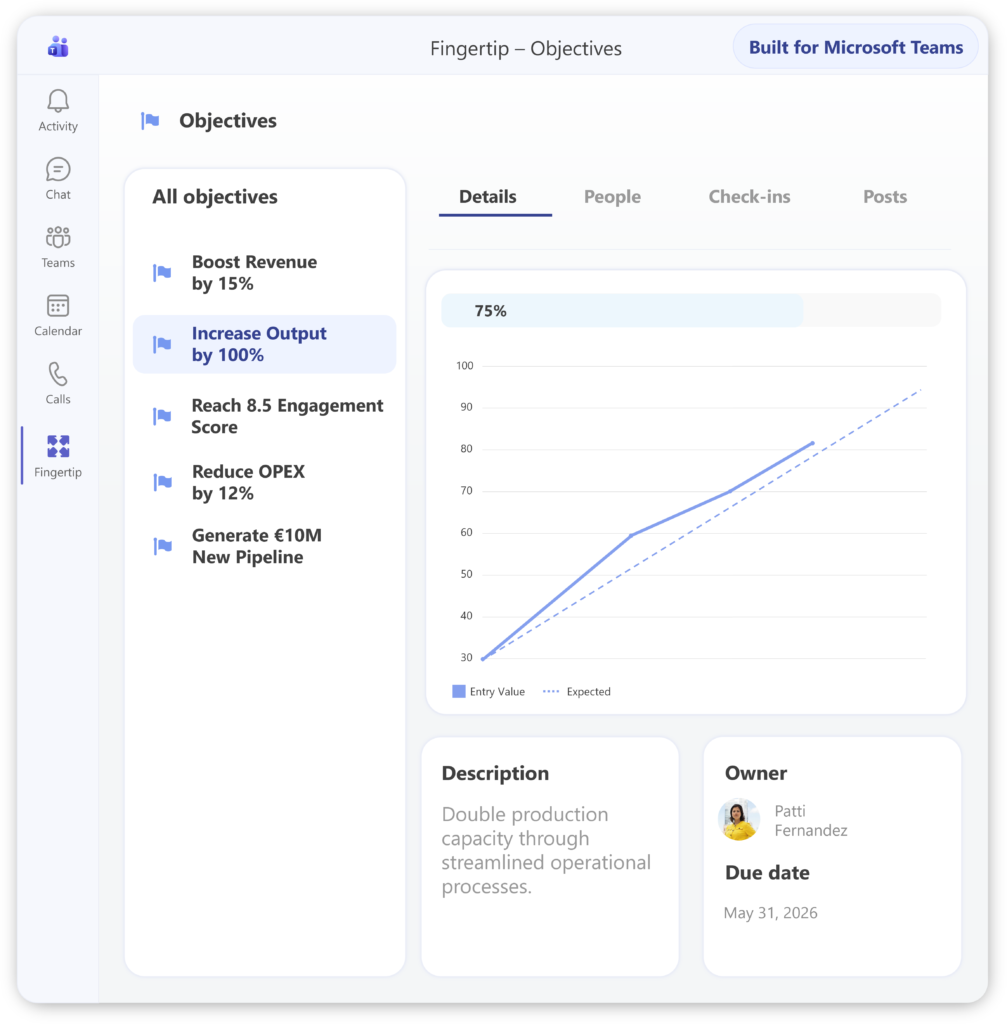
Objectives drift after planning.
Objectives are defined carefully, but daily work happens elsewhere. Leaders ask for updates, teams give narratives, and real progress is hard to compare or steer until it is too late.
Objectives go quiet
You agreed on the objective, but between reviews it is hard to see whether it is actually moving. Drift stays hidden until someone asks.
Status becomes storytelling
Everyone can say they are on track. Without visible check-ins and trends, leaders compare narratives instead of evidence. Replace stories with signalsOwnership fades
Objectives often start with clear agreement, but accountability weakens over time. When everyone supports the goal, no one may truly own progress. Clarify ownershipIt is too late to act
Issues surface at the end of the cycle, when the review is already about explaining missed outcomes instead of steering work earlier. Steer earlierObjectives are only useful if they stay connected to real work.
An objective needs ownership, progress signals and links to execution. Fingertip keeps these connected inside Microsoft Teams, so leaders can see what is moving, what is stuck and where to act before review time.
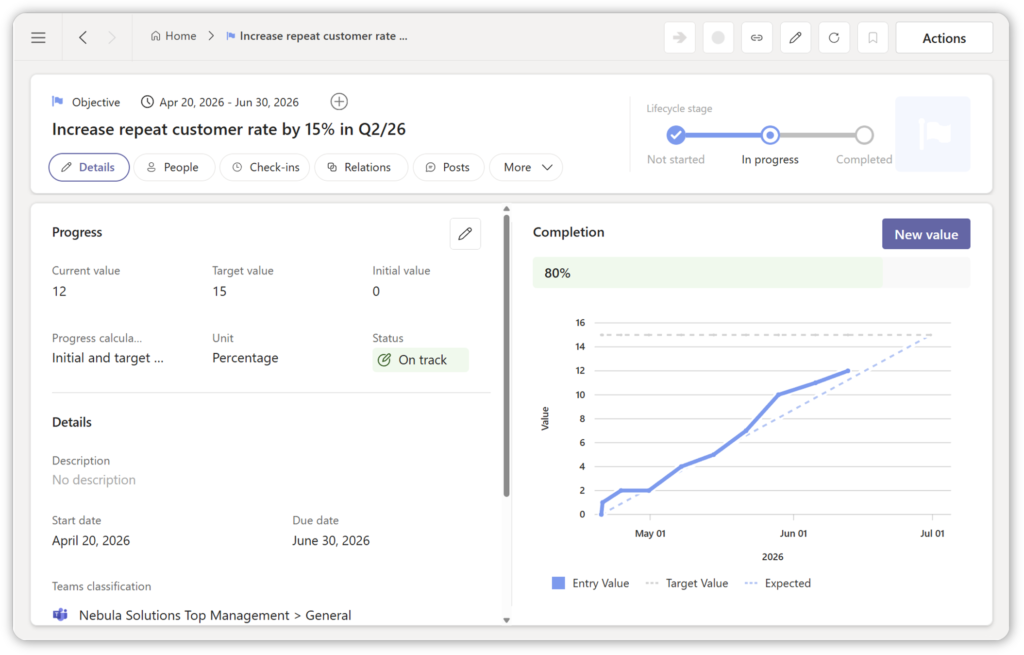
See progress before it is too late.
Fingertip gives leaders a practical view of objective progress: owner, lifecycle state, trend, latest check-in and related work.
Objectives stay connected
Objectives are not isolated targets. They stay connected to ownership, progress updates and the tasks, meetings, decisions and plans that move them.
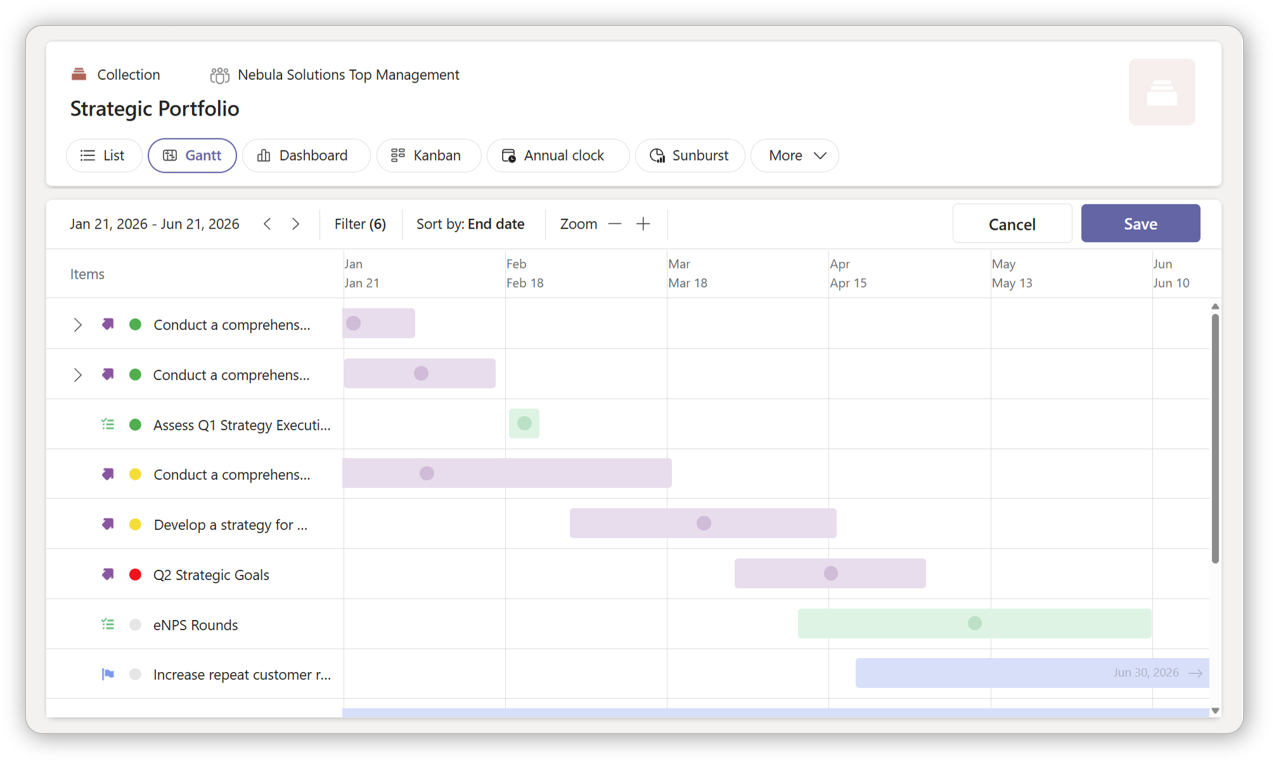
Objectives need portfolio execution
Strategic objectives become more concrete when the related projects, owners and progress signals are visible in the same leadership system.See project portfolio management
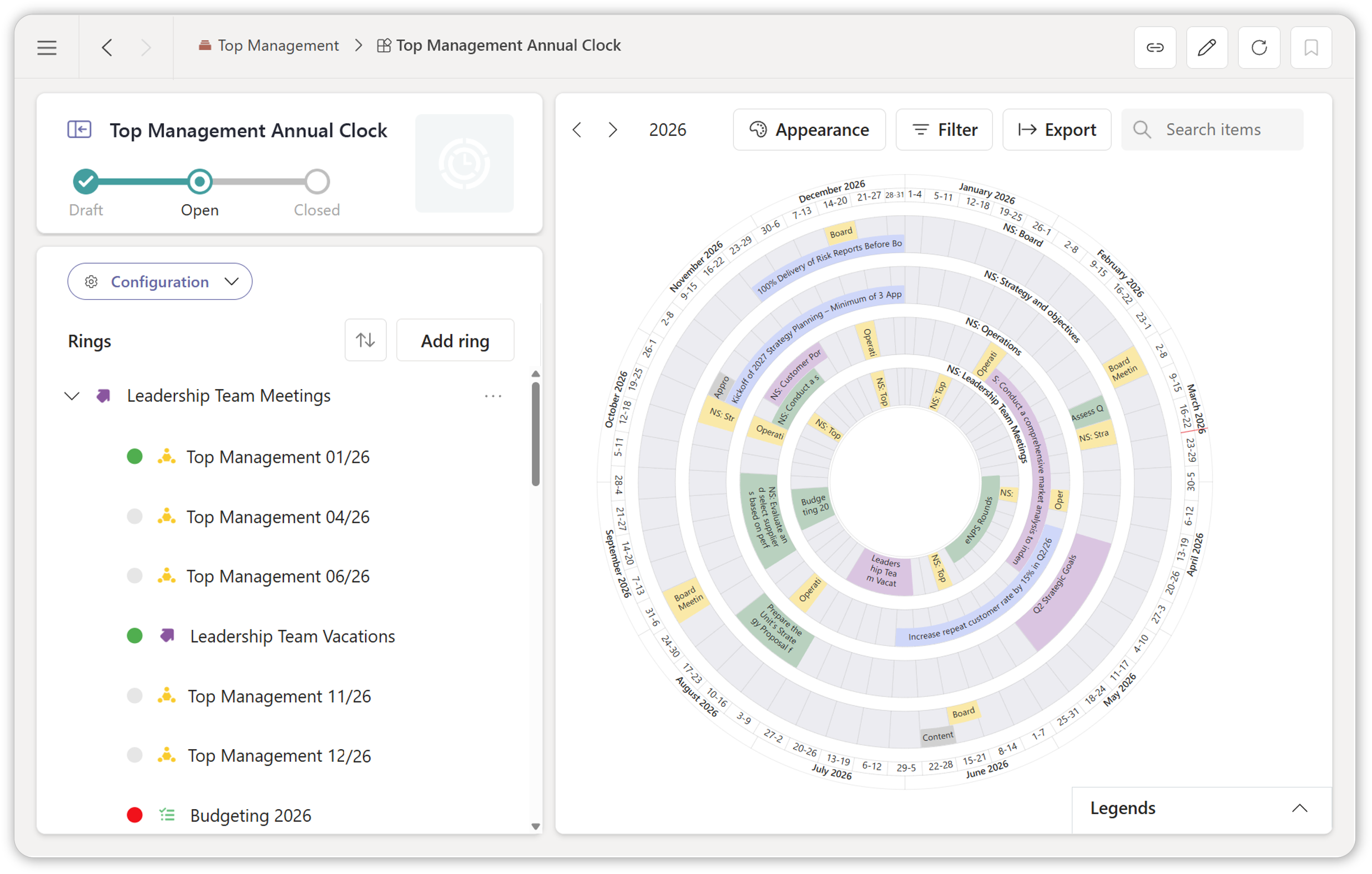
Goals need a yearly rhythm
Objectives work best when they are reviewed through a visible annual cadence, with milestones, checkpoints and leadership commitments in one place.
Build the annual rhythm
Three simple stages, connected to progress.
The objective lifecycle is simple. The value comes from what Fingertip attaches to each stage: ownership, check-ins, trends and links to real work.
Not Started
The objective is defined and assigned, but execution has not begun. Fingertip keeps the owner, scope and related work visible from the start.
In Progress
The objective is actively driven. Check-ins, progress indicators and related execution help leaders see direction and intervene earlier.
Close
The objective is resolved and reviewed. Closing preserves the outcome, learning and progress history instead of letting the goal fade from memory.
See Objectives in action
Explore how leadership work stays coherent across time, change, and delegation inside Microsoft Teams.
Goal tools define objectives. Fingertip keeps them moving.
Fingertip does not replace leadership judgement. It gives leaders better signals before the review meeting.
Built for leaders who need to steer progress.
Fingertip Objectives helps the roles responsible for setting, driving and reviewing goals inside Microsoft Teams.
See what is moving
Get a clearer view of objective progress without waiting for the review meeting.
Review with shared signals
Discuss progress from a common view instead of comparing subjective updates.
Own objectives clearly
Connect objective ownership to the meetings, tasks and decisions that move the work.
Reduce manual reporting
Follow progress through objective views, check-ins and trends instead of separate reporting decks.
Make objectives easier to steer.
See how Fingertip keeps objectives connected to ownership, progress and real work inside Microsoft Teams.

JP Wirta
Sales
What leaders ask before choosing Fingertip Objectives.
Straight answers about how Fingertip helps teams keep objectives visible, owned and connected to execution.
What is Fingertip Objectives?
Fingertip Objectives is a Teams-native way to manage objectives as living commitments, not static targets. Objectives have ownership, progress check-ins, trends and links to the work that moves them.
Who is Fingertip Objectives for?
It is for senior leaders, leadership teams and managers who use Microsoft Teams and need objectives to stay visible between planning, review meetings and daily execution.
How is Fingertip different from OKR tools?
OKR tools capture goals. Fingertip keeps objectives connected to the meetings, tasks, decisions and plans where execution actually happens, inside Microsoft Teams.
Does Fingertip replace OKR or project management tools?
Not necessarily. Fingertip focuses on keeping objectives connected to ownership, progress and leadership work. It can complement existing tools rather than replacing every planning or delivery process.
How does it work in Microsoft Teams?
Objectives are managed in the Microsoft Teams context where leadership work already happens. They can connect to related tasks, meetings, decisions and plans, helping teams review progress without separate reporting layers.
How does Fingertip support accountability?
Fingertip uses ownership roles such as accountable owner, responsible contributors and informed stakeholders. This makes it clearer who owns the objective and who contributes to progress.
How does implementation work?
Organizations can start by managing a focused set of objectives in Fingertip and connecting them to existing leadership meetings, tasks and decisions. Specific implementation scope should be agreed based on the customer’s operating rhythm.
Ready for objectives management that drives business outcomes?
Fingertip adds leadership control and vision to objectives safely, predictably, and inside Microsoft Teams.
Get in touch with us to get started!