
Competitor menu
Fingertip vs Microsoft Planner
Microsoft Planner helps teams manage tasks.
Fingertip helps leaders ensure the right work actually moves the business forward.
 Microsoft Planner
 Team task management
Planner is a lightweight Kanban tool for organizing and completing day‑to‑day work inside Microsoft 365.
- Simple task boards
- Easy to adopt in Teams
- Good for small, focused teams
 Fingertip
 Leadership execution system
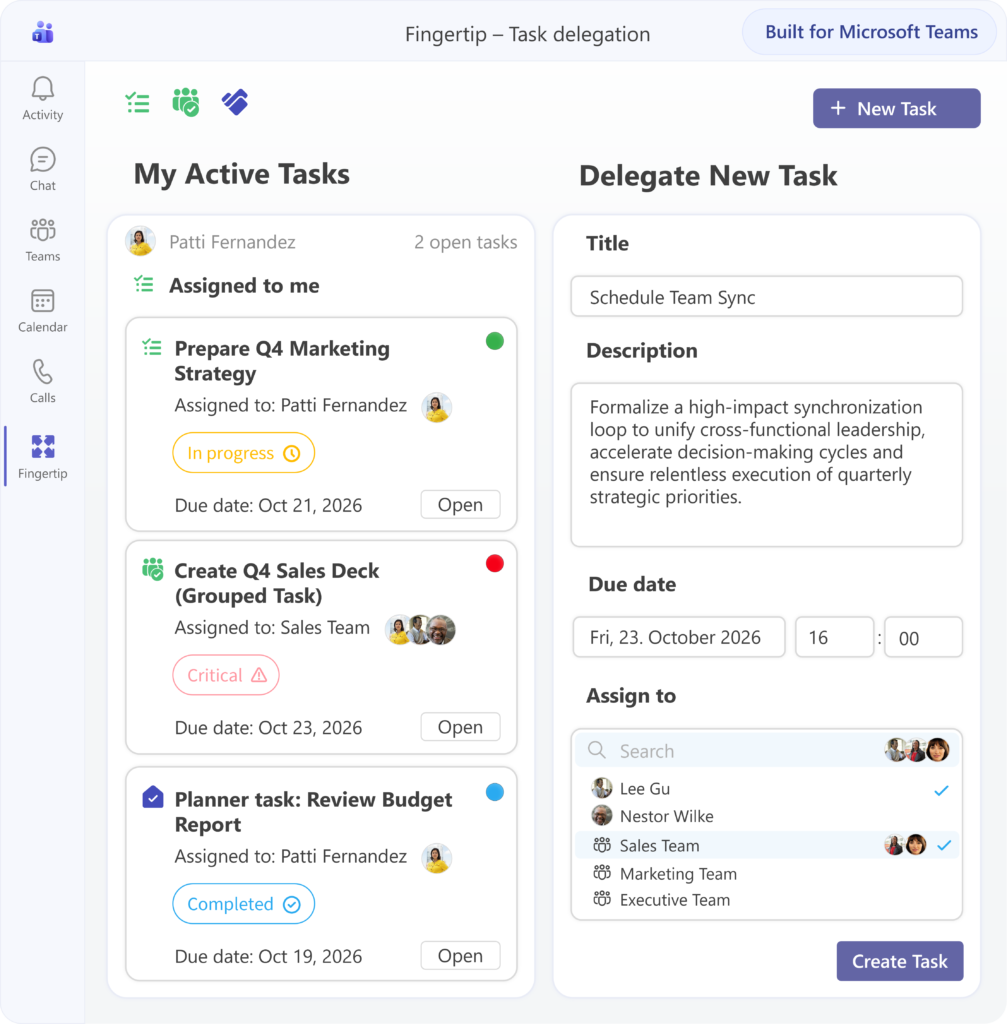
Fingertip connects strategy, decisions, objectives, and tasks into one shared leadership view inside Teams.
- Strategy‑to‑execution visibility
- Clear ownership & follow‑up
- Built for leaders and leadership teams
From task management to leadership execution
Microsoft Planner and Fingertip are built for fundamentally different purposes. Planner focuses on managing tasks. Fingertip focuses on ensuring the organization executes what matters most.
From task boards to execution intelligence
Planner provides boards to create and track tasks within individual teams. Fingertip adds an execution intelligence layer that connects tasks to objectives, decisions, ownership, and leadership priorities — making execution visible at the organizational level.
From isolated plans to connected leadership views
In Planner, each plan lives on its own. Fingertip connects initiatives across teams into shared leadership views, so leaders can understand progress, risks, and dependencies in one place — without aggregating data manually.
From isolated plans to connected leadership views
In Planner, each plan lives on its own. Fingertip connects initiatives across teams into shared leadership views, so leaders can understand progress, risks, and dependencies in one place — without aggregating data manually.
From manual follow‑up to built‑in accountability
Planner requires leaders to rely on meetings and reports for follow‑up. Fingertip embeds ownership and follow‑up directly into leadership workflows, ensuring commitments are tracked and progressed continuously.
From managing work to leading the business
Planner helps teams manage work. Fingertip helps leaders lead execution — turning strategy into coordinated action inside Microsoft Teams.
Where Microsoft Planner works well
Microsoft Planner is designed as a lightweight task management tool inside Microsoft 365. It performs best when the goal is to organize, assign, and complete tasks within a single team, without the need for strategic context or cross‑team coordination.
✅ Everyday task execution
Planner is optimized for short‑cycle task execution. Teams can quickly create tasks, assign owners, set due dates, and track completion using simple boards. This works well when success is defined by tasks getting done — not by strategic alignment.
✅ Native to Microsoft 365
Planner is deeply embedded in the Microsoft 365 ecosystem. Tasks live inside Teams, sync with To Do, and follow Microsoft’s identity, permission, and governance model. For M365‑centric organizations, this makes Planner easy to deploy and easy to adopt.
✅ Low learning curve
Planner is intentionally simple. Most users can start using it immediately without onboarding, training, or process changes. This lowers adoption friction — but also limits how much structure or leadership context the tool can provide.
Why Planner falls short for leaders
Planner does exactly what it is designed to do — manage tasks. Leadership, however, requires visibility across goals, decisions, priorities, and multiple teams, which Planner does not natively support.
⚠️ Tasks without strategic context
In Planner, tasks exist independently of strategic objectives, leadership decisions, or organizational priorities. Leaders cannot easily see why work matters or whether effort is aligned with strategy without relying on external documents or reporting.
⚠️ Team‑level boards only
Each Planner board belongs to a single team and is viewed in isolation. While this works for local execution, it prevents leaders from seeing progress, risks, and dependencies across multiple teams or initiatives in one place.
⚠️ Progress requires manual interpretation
Planner does not provide leadership‑level follow‑up or status synthesis. As a result, leaders depend on meetings, reports, and status updates to understand what is on track, at risk, or blocked.
The Fingertip advantage
Fingertip is built specifically for leadership execution. It connects strategy, decisions, initiatives, and tasks into one continuous, visible system — directly inside Microsoft Teams.
🧭 Strategy‑to‑execution clarity
Fingertip explicitly links work to objectives, direction, and priorities. Leaders can always see how initiatives and tasks contribute to strategy, without separate planning tools or slide decks.
👥 Ownership leaders can rely on
Fingertip treats ownership as a leadership concept, not just a task attribute. Accountability is explicit, visible across teams, and consistently followed up — reducing ambiguity and status chasing.
📊 Continuous leadership visibility
Fingertip provides a real‑time view of execution. Leaders can instantly see what is on track, at risk, or blocked, and intervene early — without waiting for reports or meetings.
Key Capabilities: Fingertip vs Planner
Choosing the right tool depends on your role
Microsoft Planner and Fingertip serve different needs. The right choice depends on whether you are focused on completing tasks — or accountable for outcomes across teams.
Use Microsoft Planner if…
- You need a simple task board for a small team
- Your focus is task completion, not strategic alignment
- You want something lightweight and familiar
Choose Fingertip if…
- You are accountable for outcomes, not just tasks
- You lead multiple initiatives across teams
- You want real‑time visibility without extra reporting
Frequently asked questions
Is Fingertip better than Microsoft Planner?
For task management, Planner is a solid tool. For leadership execution, strategic alignment, and organizational visibility, Fingertip is purpose‑built and clearly stronger.
Does Fingertip replace Microsoft Planner?
No. Fingertip complements Planner. Many organizations continue using Planner for tasks while Fingertip provides the leadership layer around objectives, decisions, and follow‑up.
Why do leaders outgrow Planner?
Planner lacks portfolio views, strategic context, and leadership‑level visibility. As responsibility grows, leaders need more than task boards.
Who is Fingertip designed for?
Fingertip is designed for executives, leadership teams, and managers who are responsible for turning strategy into execution inside Microsoft Teams.
Can Fingertip work inside Microsoft Teams?
Yes. Fingertip is built specifically for Microsoft Teams and runs inside your own Microsoft 365 tenant.
See Fingertip in action
Experience how leadership teams use Fingertip to turn plans into real execution — inside Microsoft Teams.