
Actionable annual planning in Teams
Fingertip turns your annual plan into a living leadership rhythm.
Build an Annual Clock that connects meetings, strategic objectives, and key milestones into one shared view inside Microsoft Teams.
Designed for CEOs, CFOs, board members, and strategy leaders who need predictable execution, clear ownership, and always accurate situation.
Trusted by
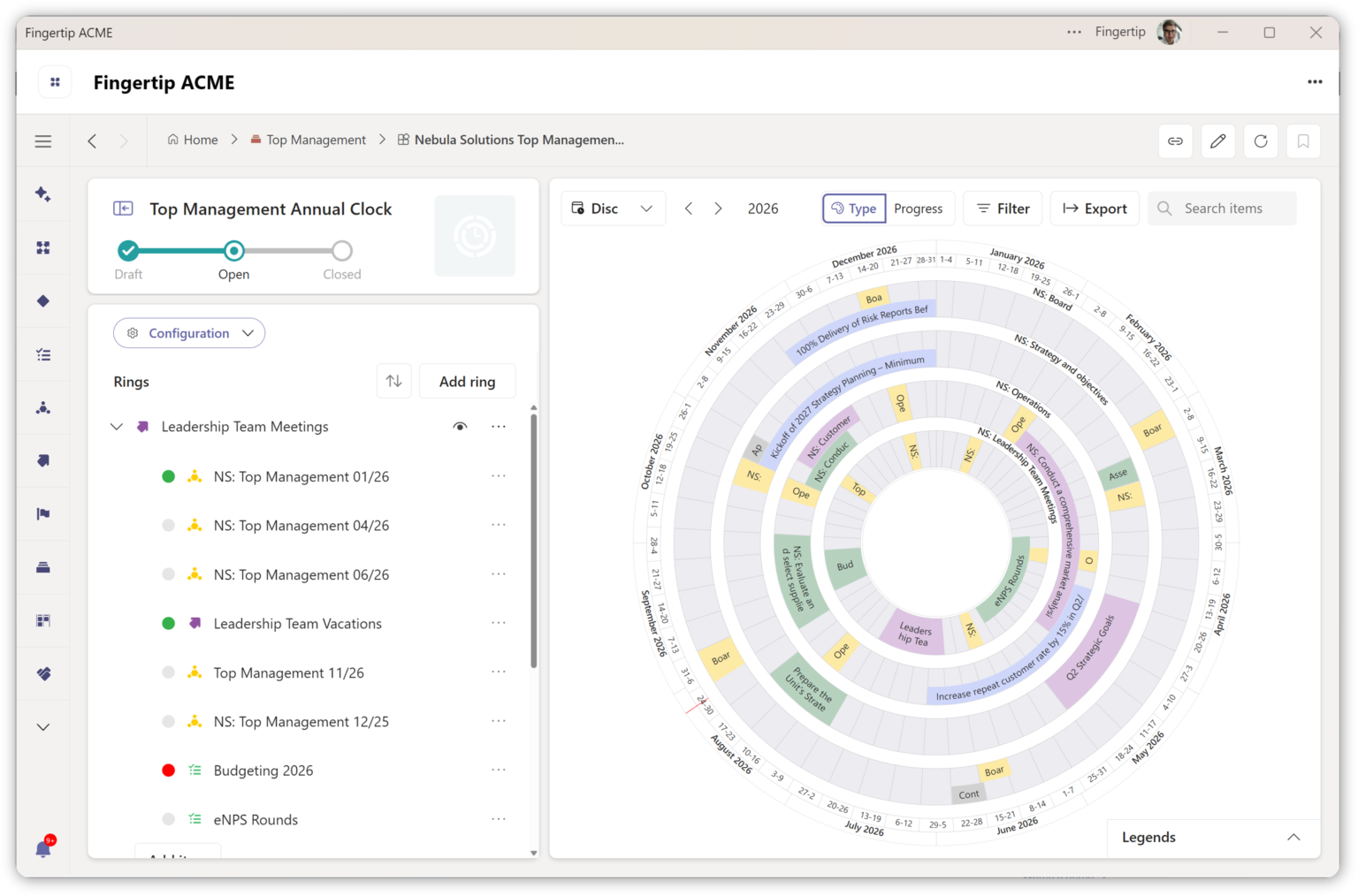
See Annual Clocks in action
Explore how leadership teams hold annual commitments, ownership and reviews inside Microsoft Teams.
See Annual Clocks in action
Explore how leadership teams hold annual commitments, ownership and reviews inside Microsoft Teams.
Watch a demoAnnual plan is disconnected from daily work.
Most leadership teams create a solid annual plan. Then execution begins, reality changes and the shared picture fades. By spring, leaders are already reconstructing context instead of steering the year forward.
The plan disappears
Annual plans live in slides or documents. Execution lives elsewhere. As months pass, leadership loses a shared picture of what the year actually contains. Hold the yearSurprises come late
Dependencies, overload and risk surface only when deadlines are close. Options narrow, and leaders end up reacting instead of steering. Intervene earlierContext is rebuilt again and again
Leadership meetings start with recaps instead of decisions. Time is spent remembering the year instead of moving it forward. Reduce re-alignmentResponsibility blurs over time
As the year progresses, it becomes unclear who owns what at this point in time. Follow-through weakens as responsibility spreads. Make ownership visiblePlan the year, follow progress, steer if needed.
Annual planning is useless if the year has no shared structure to turn that planning to action. Leaders are expected to hold months of commitments, reviews and dependencies in their memory.
Fingertip’s Annual Clock gives the year a visible home, so leadership attention can stay on steering.
One year, one rhythm, real work underneath.
The Annual Clock is reviewed during execution. Commitments, timing and ownership stay connected to the real work underneath.
Create the annual rhythm
Place reviews, milestones and leadership commitments on one shared year view.Connect
Link it to real work
Connect items to meetings, plans, objectives, decisions and tasks inside Teams.
Use it in reviews
Review what matters now, what is coming next and what needs attention. Watch a demoHow the Annual Clock works in practice.
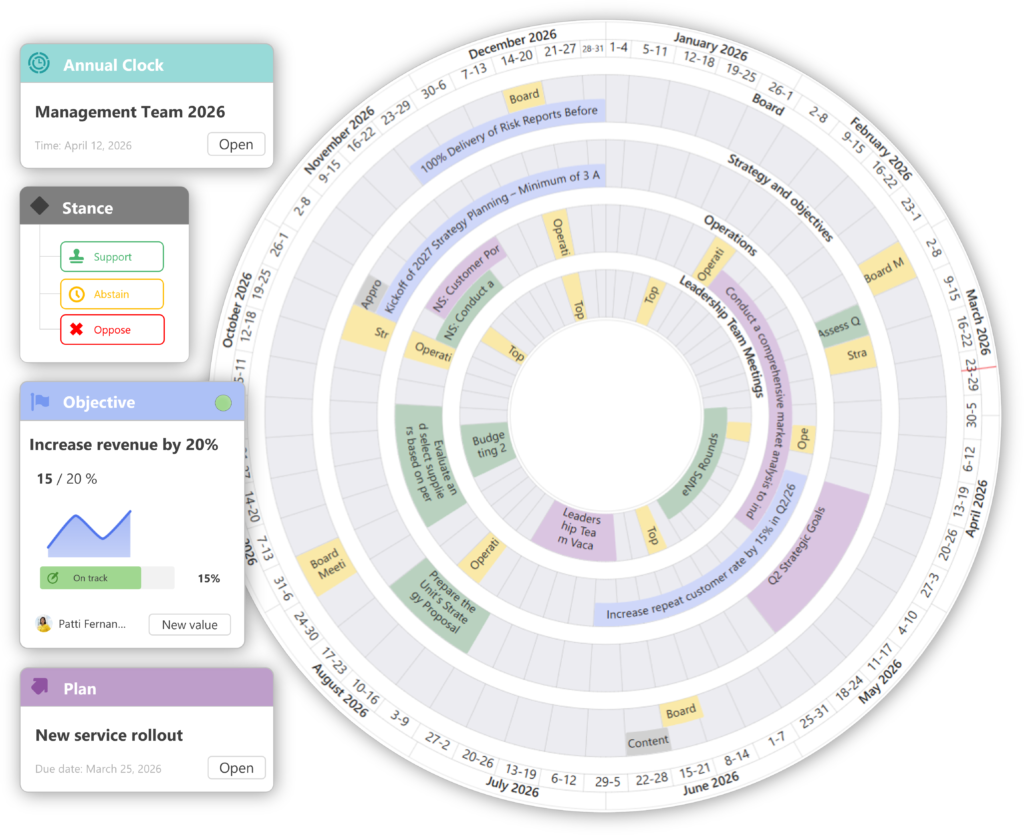
The Annual Clock turns time into a shared leadership structure. Teams use it in reviews to decide what needs attention next without rebuilding context.
A shared view of the year
Leadership commitments are placed on one annual timeline and reviewed together. The year becomes something the leadership team can see, discuss and steer.
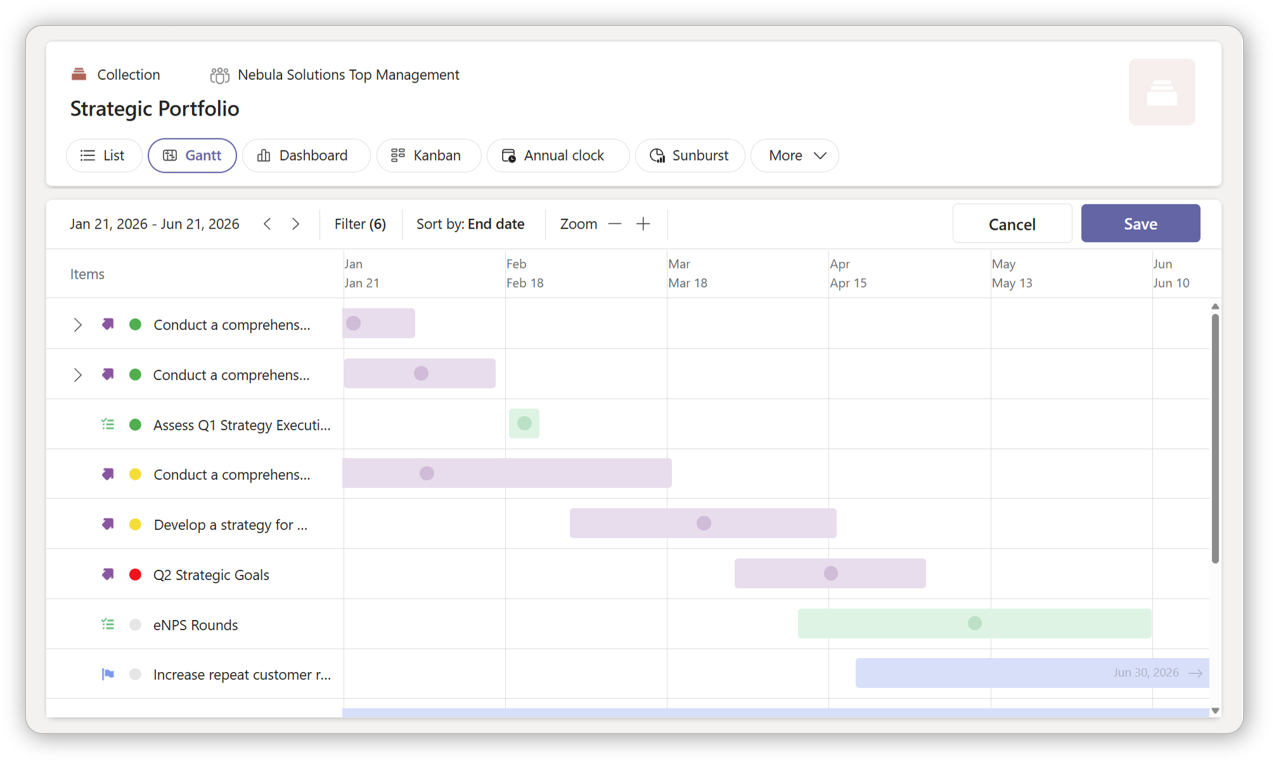
Plans turn into portfolio priorities
Annual planning becomes easier to execute when strategic initiatives are visible as a living portfolio with ownership, timing and review rhythm.Manage the project portfolio
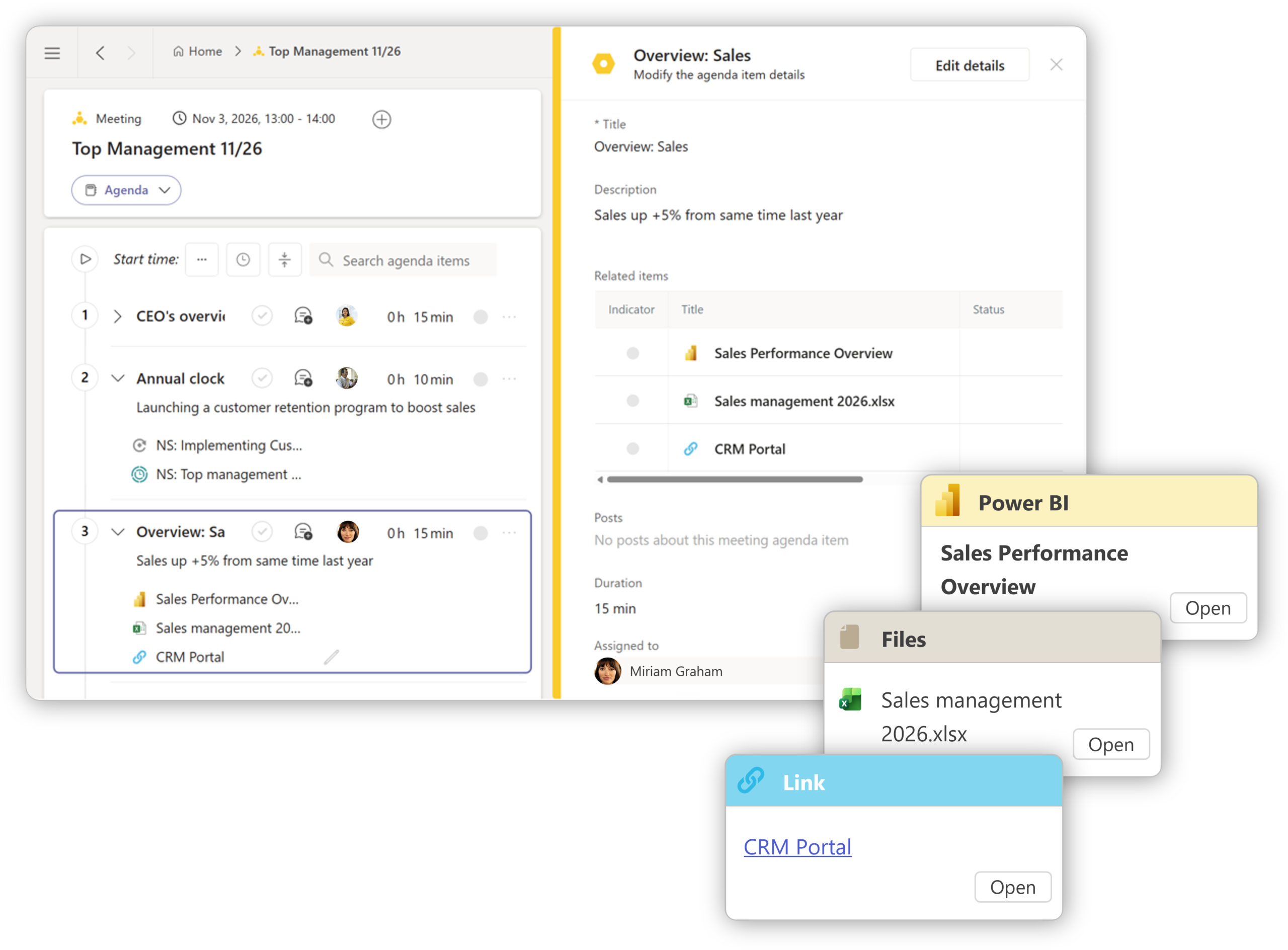
The year needs leadership attention
Annual planning becomes more useful when leadership teams review commitments, decisions and risks as part of their regular operating rhythm.
Connect the leadership team
See what your year actually looks like.
If your annual plan disappears too early, the Annual Clock can help your leadership team hold and steer the year more clearly.

JP Wirta
Sales
Leadership meetings start from the year in view.
The strongest customer pattern is simple: annual visibility reduces reconstruction and helps leaders steer earlier.
“We stopped spending leadership time reconstructing where we are in the year. The Annual Clock became the place we start steering from.”
Executive team member
Expert organization
“Before, our leadership meetings started with recaps. Now they start with decisions, because the year is already visible.”
Business unit leader
Industrial services
“We could finally see overlapping initiatives and overloaded quarters early enough to change course.”
Strategy director
Public sector
Most tools show pieces of the year.
The Annual Clock gives leadership one view for timing, ownership and commitments across the full year.
Built for leaders who carry the year.
The Annual Clock is designed for leadership roles accountable for outcomes across months, teams and parallel priorities.
Hold the whole year
See the commitments, reviews and risks that shape leadership attention.
Steer major commitments
Understand timing, ownership and dependencies across the year.
Balance priorities
Review multiple initiatives and overlapping commitments in one annual view.
Spot overload early
Use rings and progress indicators to see where leadership attention is needed.
What leaders ask before choosing Annual Clocks.
Straight answers about how Fingertip helps leadership teams keep annual commitments, ownership and timing visible.
What is an Annual Clock in leadership planning?
An Annual Clock is a shared view of the year that shows leadership commitments, review moments and ownership over time. In Fingertip, it helps leaders treat the year as a visible structure that can be reviewed and steered during execution.
How is an Annual Clock different from an annual plan?
An annual plan describes intent at one point in time. An Annual Clock holds that intent over the full year by keeping key commitments, checkpoints and ownership visible as work progresses.
Why do annual plans fail after planning?
Annual plans often disappear from daily leadership attention. Execution moves into meetings, tasks and local priorities, while the shared picture of the year fades. Without a visible annual structure, risks and dependencies surface late.
Who should use an Annual Clock?
Annual Clocks are designed for leadership teams, executives and roles accountable for outcomes across a full year. They are useful when work spans multiple initiatives, teams or time horizons.
How does an Annual Clock work inside Microsoft Teams?
In Fingertip, the Annual Clock lives inside Microsoft Teams. Leadership commitments, meetings, plans, objectives and other items appear on a shared annual view that can be reviewed as execution progresses.
Does an Annual Clock replace project management tools?
No. An Annual Clock complements task and project tools by adding a leadership-level view of the year. It shows how work fits into the broader annual cadence.
How does an Annual Clock help leaders intervene earlier?
Because commitments and progress are visible in the context of the year, leaders can see overload, delays and dependencies while there is still time to act.
Is an Annual Clock only useful for annual planning?
No. The Annual Clock may start with annual planning, but it is most valuable during execution. Teams can use it throughout the year in leadership reviews and steering meetings.
Ready to make annual planning drive business outcomes?
Fingertip helps your teams plan their annual goals and execution safely, predictably, and inside Microsoft Teams.
Get in touch with us to get started!