
Stop chasing delegated work.
Fingertip shows what you assigned, who owns it, and what is blocked or done, directly inside Microsoft Teams.
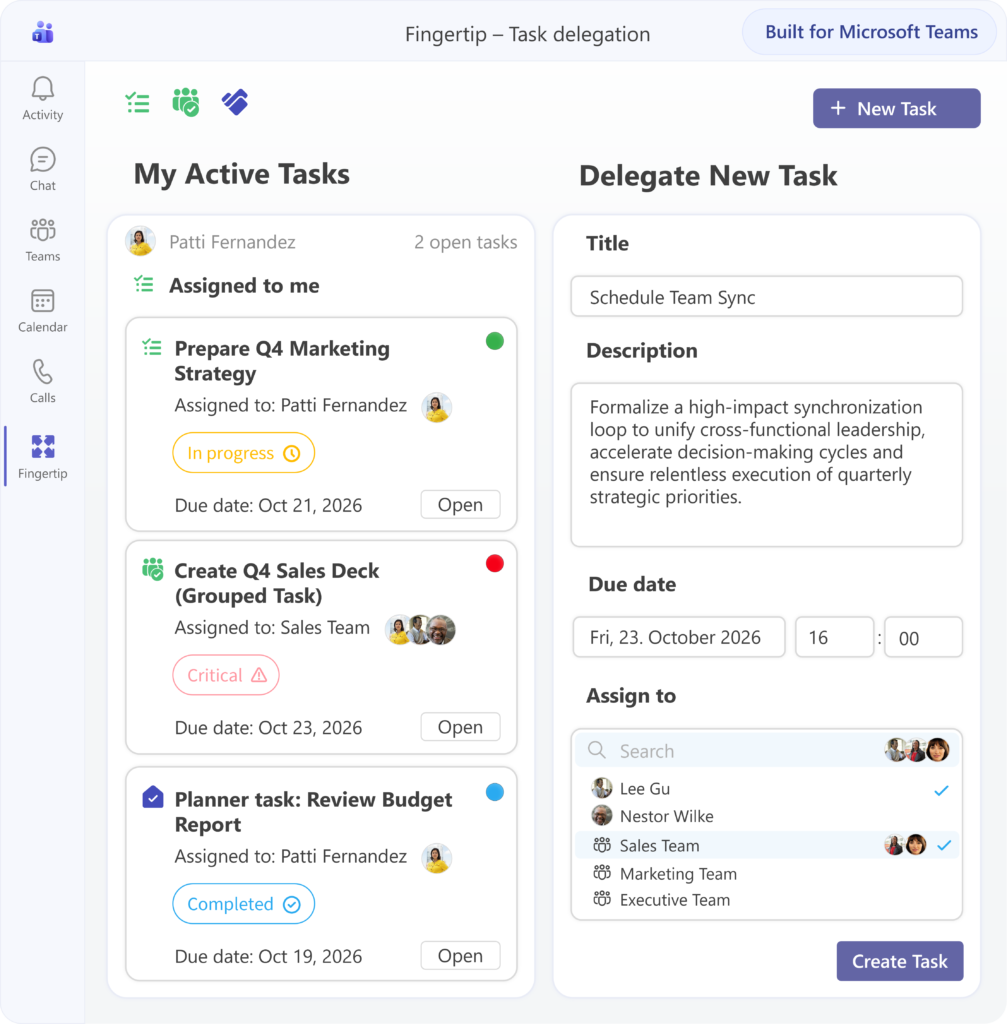
You assigned it. Now you have to chase it.
Tasks leave meetings in good faith, then scatter across chats, Planner, notes and personal to-do lists. Soon, no one has a shared view of what was delegated, who owns it, or whether it is moving.
Where did that task go?
Actions are created in meetings, notes and messages, but the leadership view disappears. The task may exist somewhere, but no one sees it as part of the original commitment.
Who actually owns this?
Responsibility sounds clear in the meeting, but later it becomes ambiguous. Was someone informed, helping, responsible, or truly accountable for the outcome? Clarify ownershipIs it blocked or just late?
Without visible progress signals, leaders have to ask for updates manually. Problems surface late, and follow-up becomes a recurring agenda item. Stop chasingWhat does done mean?
Tasks get checked off, but the expected outcome is not always delivered. Without shared closure, work can be technically complete and still fail the original intent. Close the loopDelegation is not complete when the task is assigned.
A delegated task needs four things to stay alive: context, owner, progress status and clear closure. Fingertip keeps those visible until the work is actually done, so leaders can follow execution without turning into status chasers.
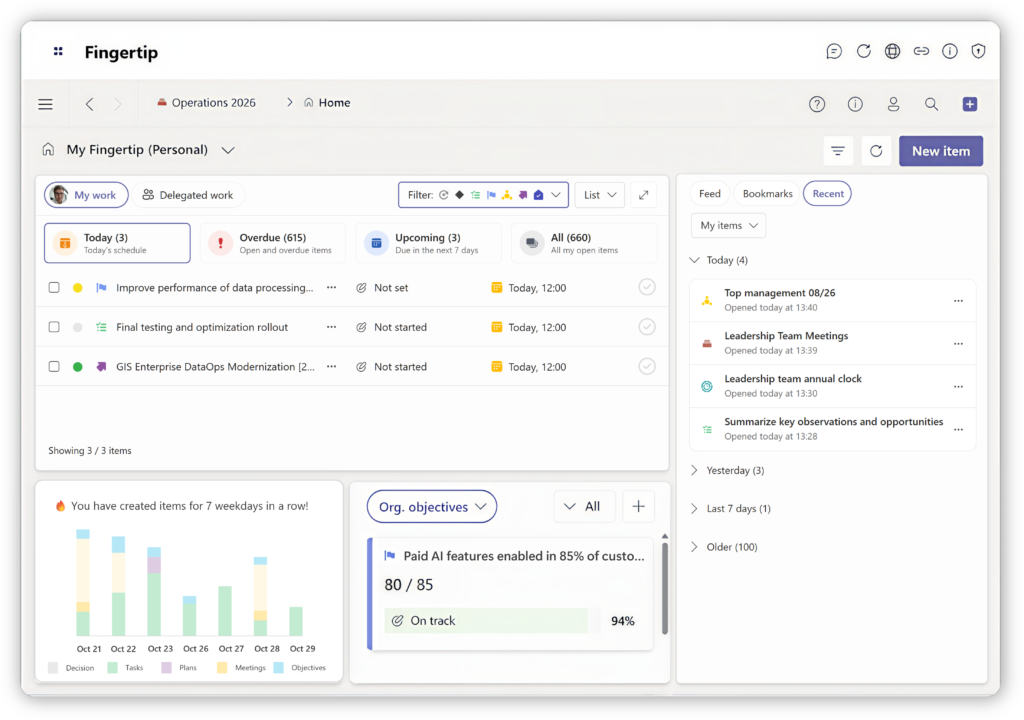
Everything you delegated, in one view.
Fingertip gives leaders a practical view of assigned work: what was assigned, who owns it, what is blocked, and what is ready to close.
Delegated work stays visible
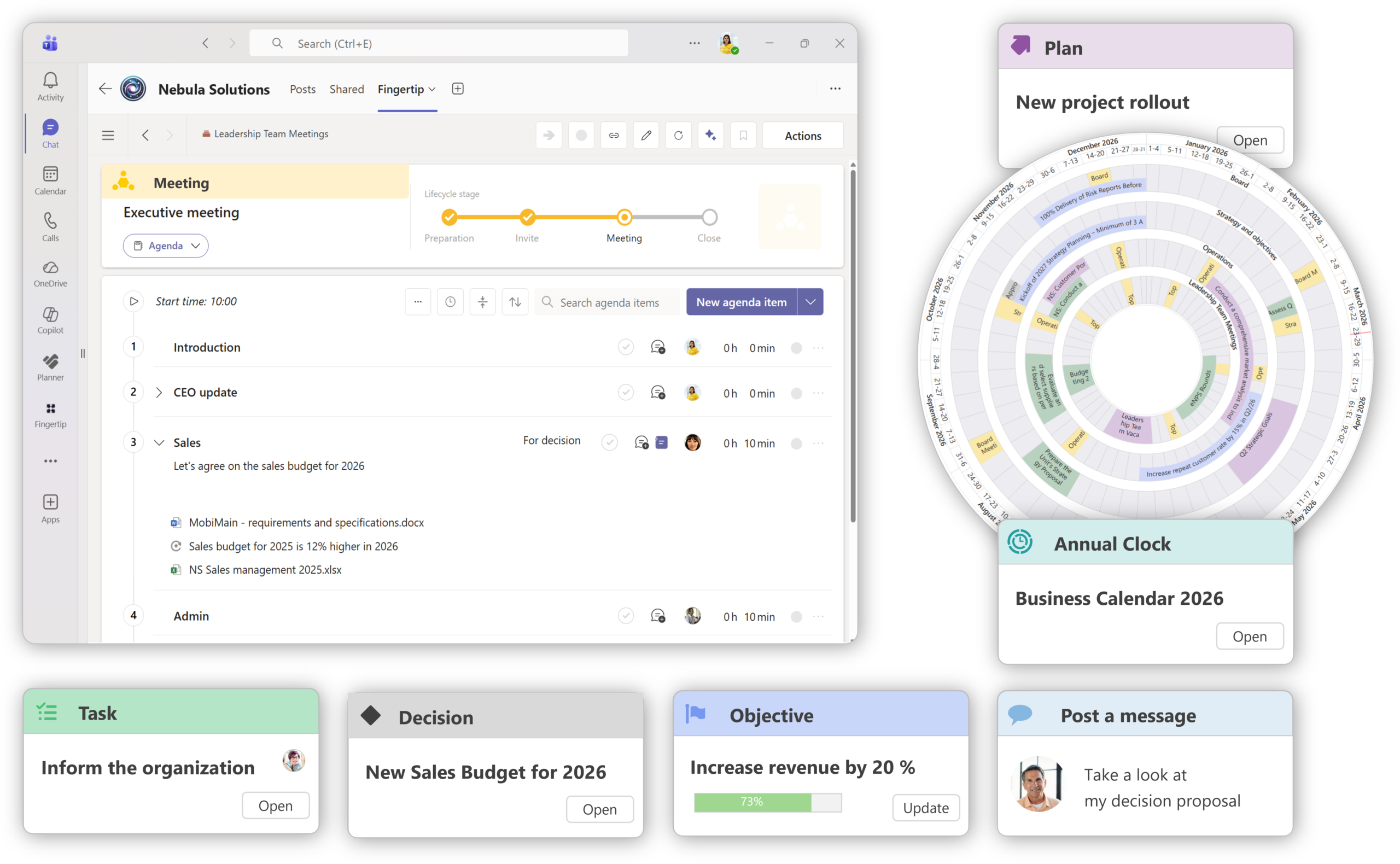
Tasks do not become isolated reminders. They keep their source context, owner, status and expected outcome, so delegated work remains part of the leadership system.Tasks keep the meeting context
Delegated work stays connected to the meeting where it was created, so owners understand the original intent and leaders can follow up with less reconstruction.
See meeting workflows
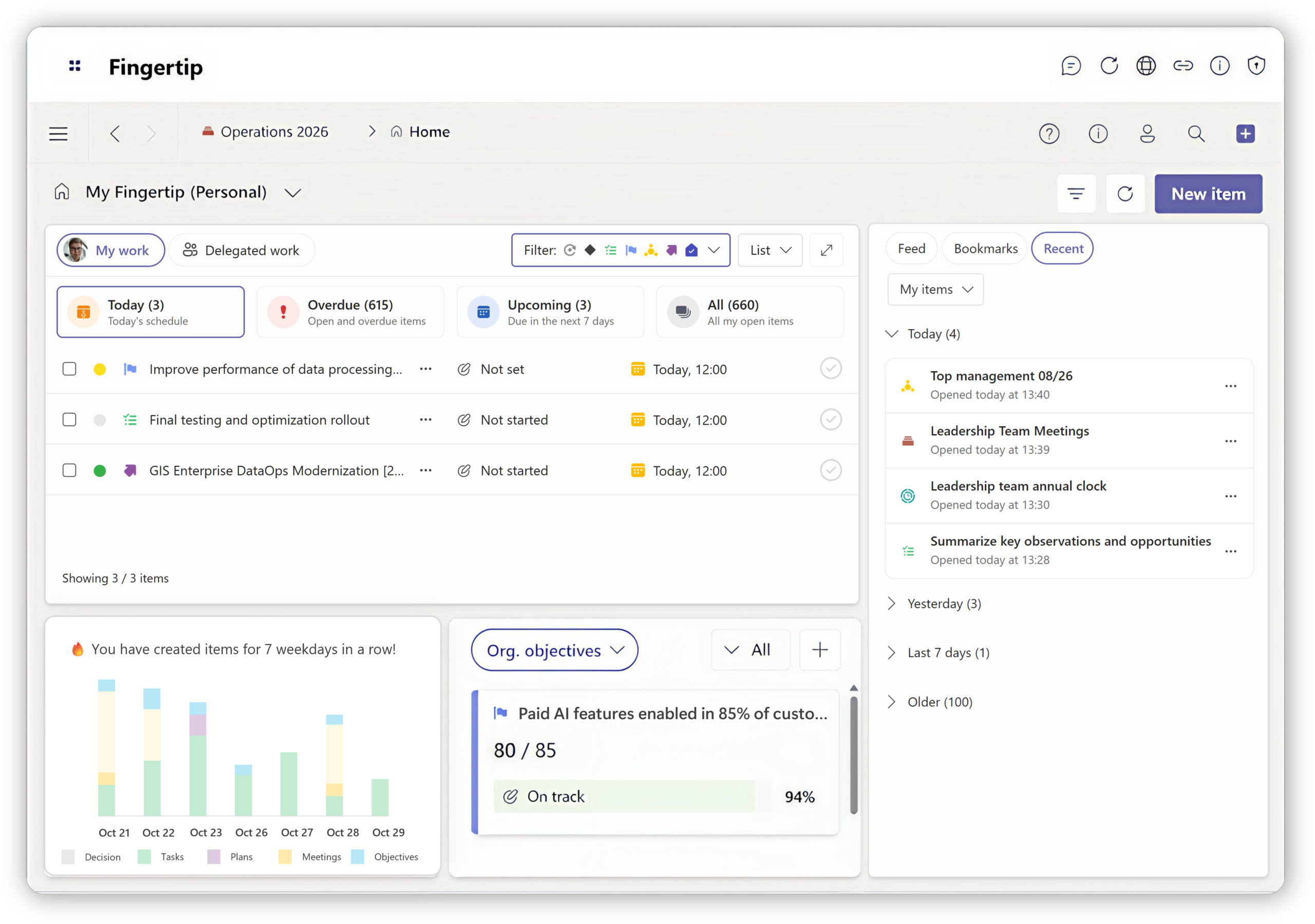
Responsibility stays visible
Delegated tasks appear in the personal leadership view, helping people see what they own, what is still open and what needs attention next.Open the personal leadership view
Sign up for a free 14-day trial
Test Fingertip in our hosted environment to evaluate benefits. Note: Requires M365 login with a Teams license.
Sign up for a free 14-day trial
Test Fingertip in our hosted environment to evaluate benefits. Note: Requires M365 login with a Teams license.
Sign up to Fingertip LITE
Three simple states, made useful.
The task lifecycle is simple. The value comes from what Fingertip attaches to each state: context, ownership, progress and closure.
Not started
The work has been delegated, but execution has not begun. Fingertip keeps the task tied to its source, owner, deadline and expected outcome.
In progress
The owner is moving the work forward. Leaders can see progress and identify blocked or unclear work without asking for constant status updates.
Completed
The task is closed against the expected outcome, not merely checked off. Completion creates a record of follow-through and learning.
See Tasks in action
Explore how leadership work stays coherent across time, change, and delegation inside Microsoft Teams.
Delegation becomes easier when work stays visible.
Real customers describe the same pattern: responsibilities, tasks and follow-up become easier when leadership work is recorded and visible.
“Responsibilities and tasks became visible, making follow-up and execution easier.”
Business Development
Manufacturing
“Meetings gained systematic task follow-up instead of scattered notes.”
Leadership team users
Industrial services
“Tasks and decisions could be clearly recorded, and follow-up improved significantly.”
Group ICT Director
Public sector
Task tools manage work. Fingertip manages delegation.
Fingertip does not replace the tools people use to do work. It adds the leadership layer needed to make delegated work visible and accountable.
Built for people who rely on follow-through.
Task Delegation gives each role a clearer view of what has been assigned, what is owned, and what needs attention.
Delegate without chasing
See what you assigned, who owns it and where progress is stuck.
Keep commitments visible
Turn meeting actions into visible follow-through across recurring leadership work.
Know what is expected
Understand ownership, context and what “done” means before work begins.
Reduce manual follow-up
Review delegated work through shared views instead of chasing updates manually.
Make delegation easier to trust.
See how Fingertip keeps assigned work visible from meeting to completion, inside Microsoft Teams.
Jaakko Pellosniemi
Founder, CEO

What leaders ask before choosing Task Delegation.
Straight answers about how Fingertip helps teams make delegated work visible, owned and easier to follow up.
What is Task Delegation in Fingertip?
Task Delegation is a way to keep assigned work visible after meetings, decisions and conversations. Fingertip shows what was assigned, who owns it, what is blocked or in progress, and what has been completed inside Microsoft Teams.
Who is Task Delegation for?
It is for managers, leadership teams and operations roles that rely on follow-through. It is especially useful when tasks are assigned in meetings but later become hard to track across chats, notes and task tools.
How is this different from Planner or To Do?
Planner and To Do help people manage task execution. Fingertip focuses on leadership delegation: preserving the context, ownership and follow-up around tasks so leaders can see what they assigned and what needs attention.
Does Fingertip replace task tools?
No. Fingertip can complement existing execution tools. Its role is to make delegated work visible and accountable in the leadership context where the work was assigned.
How does it work in Microsoft Teams?
Fingertip is designed for organizations using Microsoft Teams. Delegated work can stay connected to leadership meetings, decisions and collaboration contexts, so follow-up does not depend on separate notes or personal memory.
How does Fingertip support accountability?
Fingertip makes ownership explicit and connects each task to progress and closure. This helps teams see who owns the work, what state it is in, and whether the expected outcome has been delivered.