AI for real leadership work.
Fingertip makes AI useful inside Microsoft Teams by working on decisions, meetings, tasks and follow-up, while authority stays with people.
Useful text is not the same as useful leadership work.
AI can draft and summarize, but leaders still need ownership, context and follow-through. Without structure, outputs look useful while the work remains unclear.
What did we actually agree?
Important decisions are discussed in meetings or chats, but never become shared commitments. AI can summarize the conversation while the real outcome stays vague.
Structure the intentIs this draft official?
AI summaries and drafts can look authoritative before anyone has confirmed them. That creates confusion about what was agreed and who owns the next step.
Keep drafts provisionalWho follows up now?
Leaders still spend time checking status and rebuilding context when follow-up lives in scattered tools and personal memory.
Connect follow-upAI does not know the work
Most AI tools work on text. They do not know who owns a decision, what is still open, or how the work should move forward.
Show the structureAI works best with leadership data.
Fingertip gives AI a clear place to work: decisions, meetings, tasks and follow-up already have owners, context and relationships. AI can help draft and structure the work while people keep authority, accountability and final commitment.
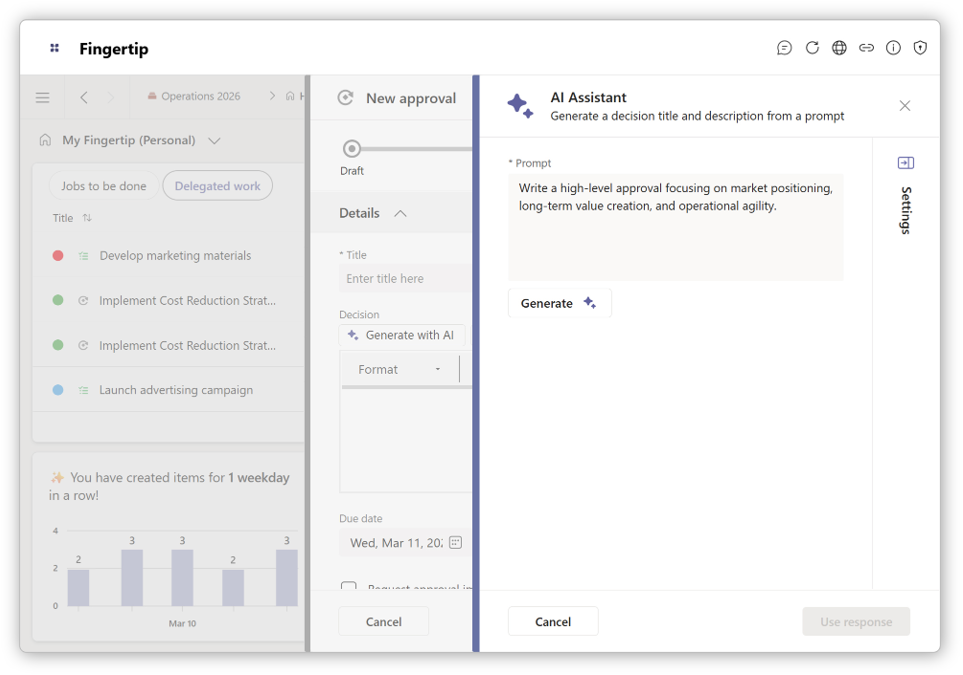
AI inside the leadership system.
Fingertip AI operates inside a structured system of decisions, meetings and tasks. It assists the work without becoming the authority.
AI works on real leadership objects
Fingertip represents leadership work as explicit decisions, meetings, tasks and follow-up. AI helps draft and structure these objects instead of producing detached text.
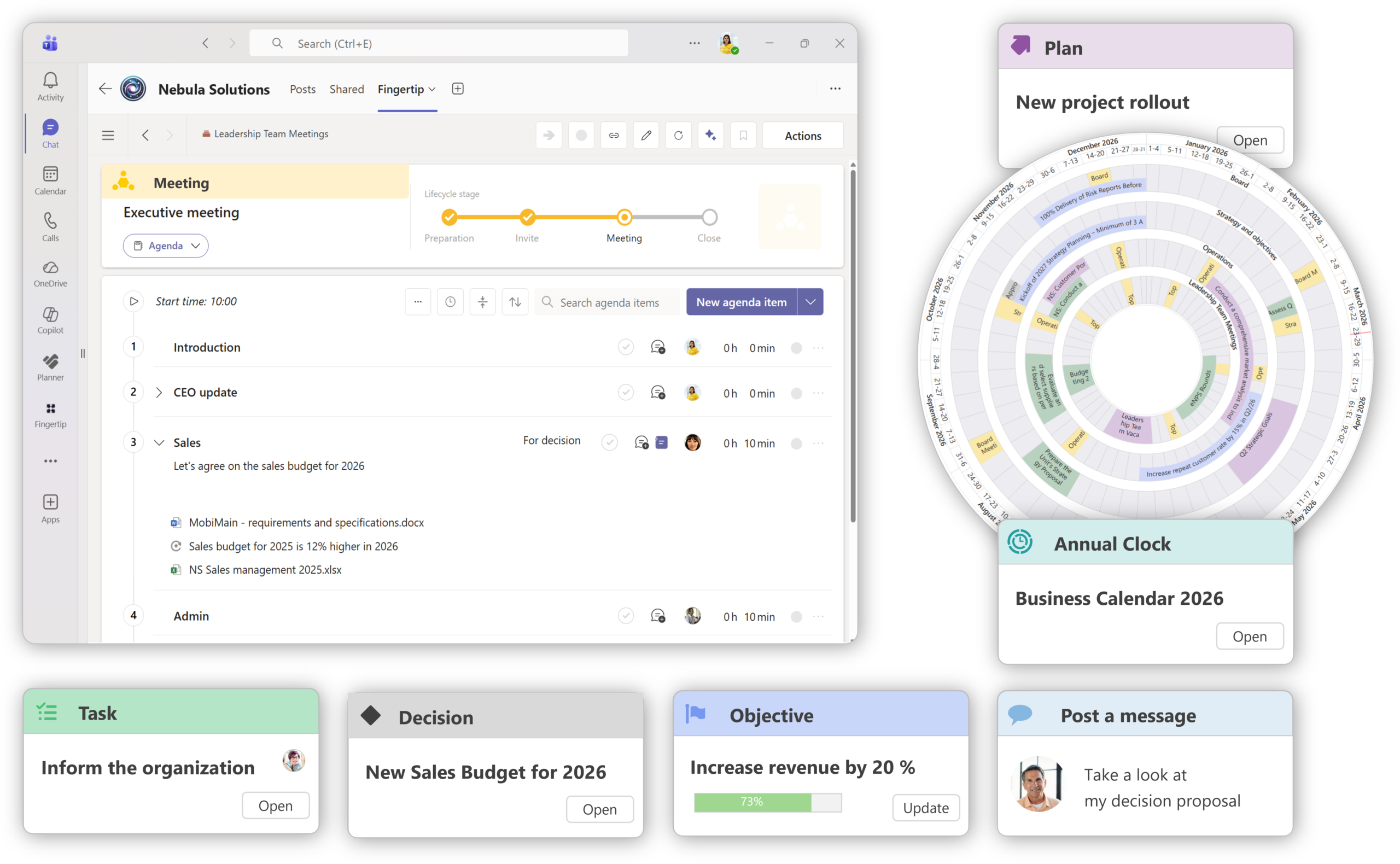
AI works better with meeting structure
When meetings have agendas, topics, owners and outcomes, AI can support preparation and summaries without turning leadership work into loose text.
Structure meeting work first
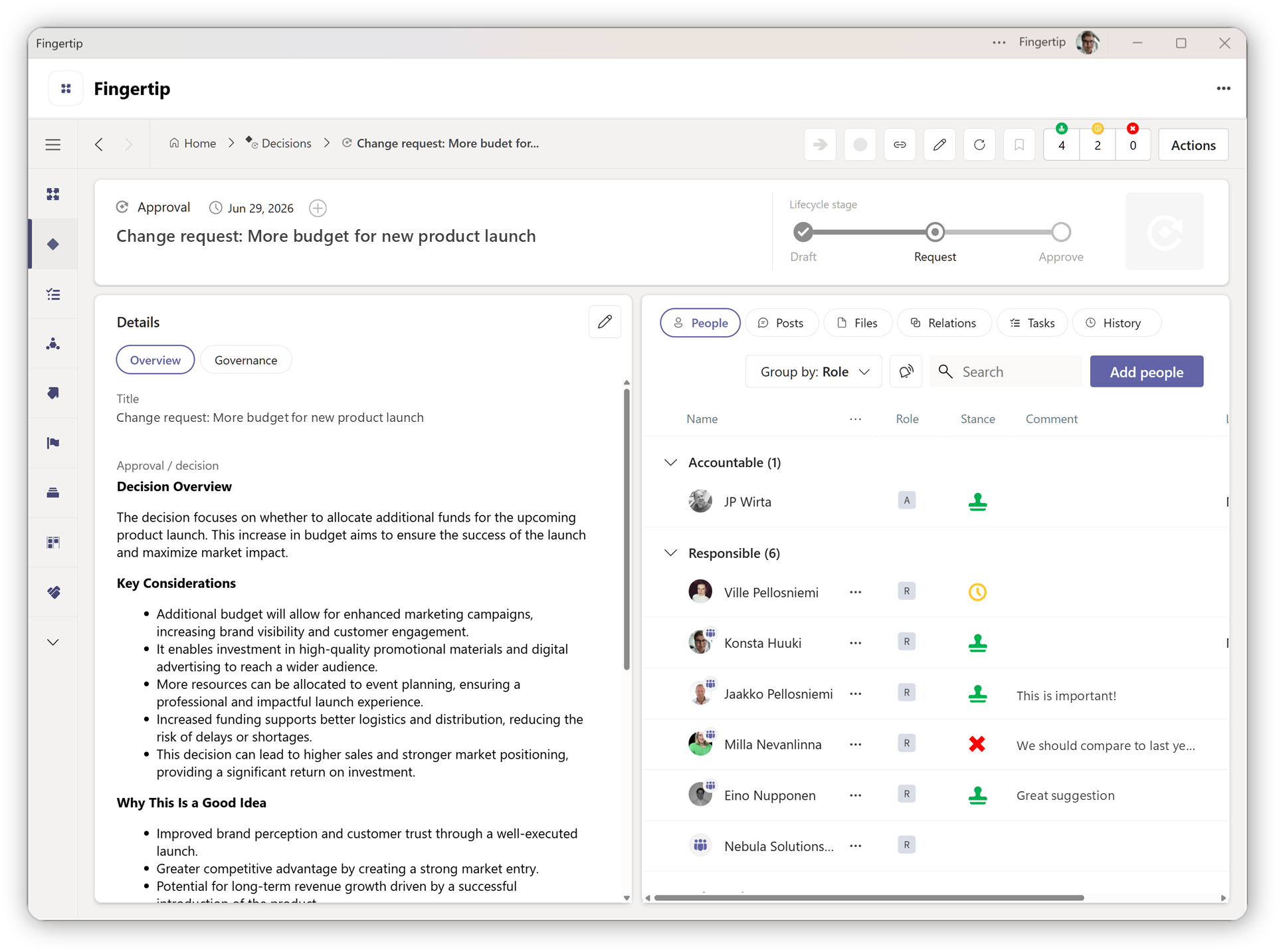
AI should support accountable decisions
Fingertip keeps human ownership visible while AI helps leaders work with context, rationale and follow-up inside a structured decision process.
See decision workflows
Draft, confirm, execute, review.
Fingertip AI does not add a separate AI process. It supports the leadership flow that already exists in meetings, decisions and follow-up.
Prepare intent
AI helps move from a blank page to a clearer decision, meeting agenda or leadership draft.
Confirm commitment
A person reviews, edits and confirms what becomes official. Authority stays visible and human.
Execute and follow up
Decisions and meetings connect to tasks and ongoing work, so intent can move into action.
Review progress
Progress comes from connected work, not isolated reporting. Leaders can act with context.
See Fingertip in action
Book a demo with our experts to evaluate Fingertip for yourselfAI is more useful when the leadership model is clear.
Customer proof supports the broader value: Fingertip helps leadership work stick to the organization’s actual model of work.
“Fingertip made the change stick to our model of work.”
Head of strategy
Manufacturing
“Better meeting management is a plus, but decision-making is the real value.”
CDO
Nordic critical infrastructure company
“Strategy execution became a natural part of daily management.”
Head of strategy
Logistics
Generic AI writes. Fingertip structures leadership work.
AI becomes more useful when it understands the work it is helping with: who owns it, what is open, and what needs to happen next.
Built for teams that want AI without losing control.
Fingertip AI supports leadership work across roles while preserving human authority and accountability.
Steer with clarity
See decisions, commitments and open issues without chasing updates.
Delegate with control
Keep ownership and follow-through visible across teams.
Spend time on substance
Less reconstruction, more real discussion.
Support consistent leadership
Shared structure reduces manual coordination.
See what leadership-aware AI looks like.
Explore how Fingertip AI supports decisions, meetings and follow-up inside Microsoft Teams while people keep authority.
Jaakko Pellosniemi
Founder, CEO
What leaders ask before choosing Fingertip.
Straight answers about how AI supports leadership work in Fingertip without replacing human judgment or accountability.
What is Fingertip AI?
Fingertip AI is an assistive capability embedded inside Fingertip’s leadership system. It helps structure leadership work such as decisions and meetings by generating drafts and suggestions that remain provisional until a human confirms them.
Who is Fingertip AI for?
It is designed for leaders and leadership teams working in Microsoft Teams who need clarity, ownership and follow-through, not autonomous decision-making.
How is this different from AI meeting summaries or Copilot?
Generic AI works mainly on text. Fingertip AI works on structured leadership objects with ownership, lifecycle and context, which helps prevent AI output from becoming accidental truth.
Does Fingertip AI make decisions for users?
No. Fingertip AI never makes decisions, assigns accountability or commits outcomes. Authority remains with people, and AI-generated outputs stay reviewable and editable.
How does Fingertip AI work in Microsoft Teams?
Fingertip lives inside Teams and represents leadership work directly there. AI assists within that same context instead of creating a parallel workflow outside the work.
What leadership workflows does it support?
It can support decision preparation, meeting preparation, follow-up structuring and leadership sense-making within Fingertip’s leadership system.
How does implementation work?
Fingertip AI is part of the Fingertip platform and follows the same Teams-first adoption model. A practical starting point is a leadership workflow where decisions, meetings and follow-up already need more structure.