
Make leadership team work drive execution.
Fingertip helps leadership teams keep priorities, decisions, ownership, and follow-through connected inside Microsoft Teams, so the work between meetings is as clear as the meeting itself.
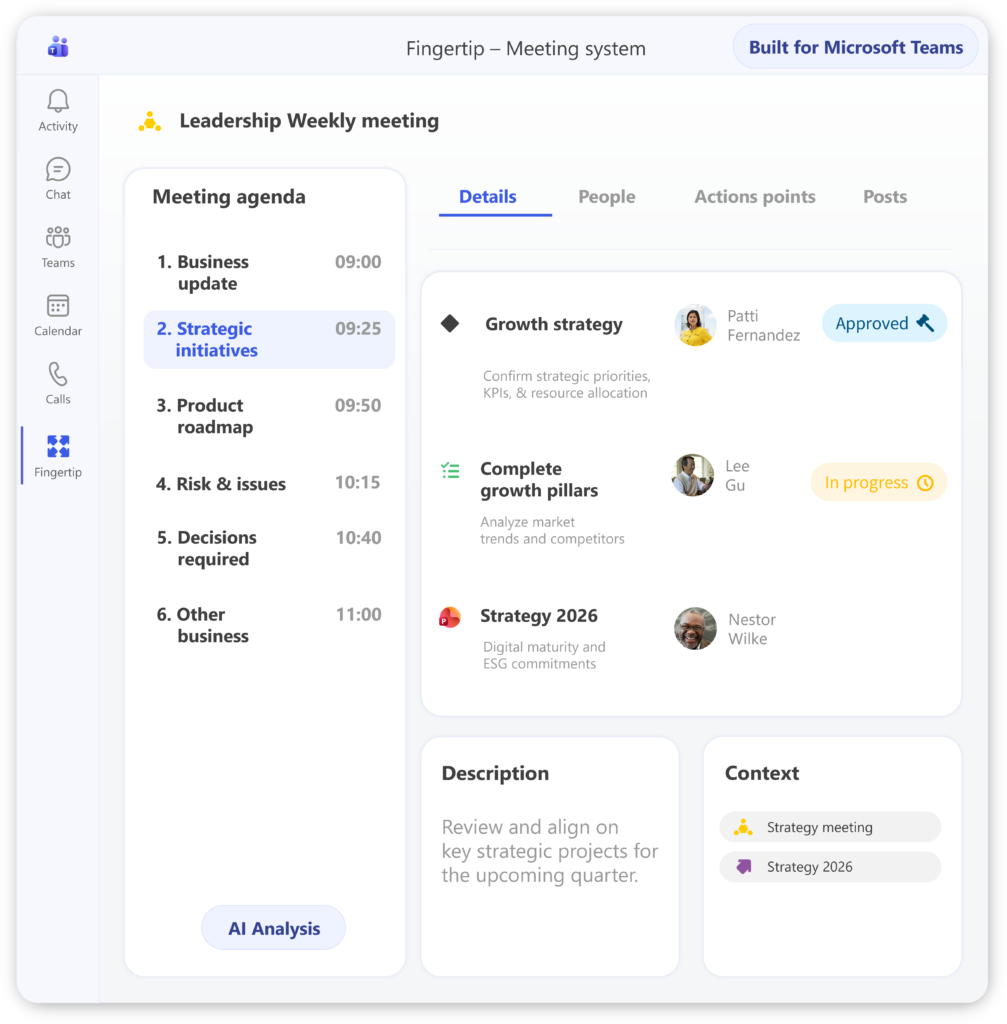
Alignment fades when work leaves the room.
Leadership teams usually know what they discussed. The harder part is keeping decisions, priorities, and ownership clear when work moves into functions, projects, chats, documents, and the next meeting cycle.
The team aligns, then the organization interprets.
Priorities sound clear in the meeting, but each function translates them differently. The result is uneven execution, repeated clarification, and slow loss of focus. See how priorities stay connectedDecisions are discussed more than they are owned.
Important choices remain buried in notes, chats, or memory. Later, the team revisits the same topic because the decision, rationale, and owner were never held together.
Make decisions durableExecutives end up chasing work they already delegated.
Follow-up spreads across inboxes, task lists, and verbal commitments. Leaders spend energy asking for updates instead of steering the work that needs attention.
See the leadership flowStatus arrives late and in different formats.
Slides and verbal updates rebuild the situation, but they rarely show how decisions, tasks, objectives, and risks connect. The leadership team sees fragments instead of one operating picture.
Build a shared operating viewLeadership teams need continuity, not more reporting.
Fingertip gives leadership work a durable structure inside Microsoft Teams. Meetings, decisions, tasks, objectives, plans, and supporting material become connected leadership objects with clear ownership and visible progress.
Fingertip helps change the meeting model so, that time is reclaimed for actual innovation.
Watch a demoOne leadership system inside Microsoft Teams.
Fingertip is not a meeting note, task list, or reporting layer. It connects the real objects of leadership work so executive teams can decide, delegate, review, and adjust with shared context.
Leadership objects that stay connected
Meetings, decisions, tasks, objectives, plans, files, and links remain connected over time. The leadership team can see what was decided, who owns it, and what has moved since the last review.
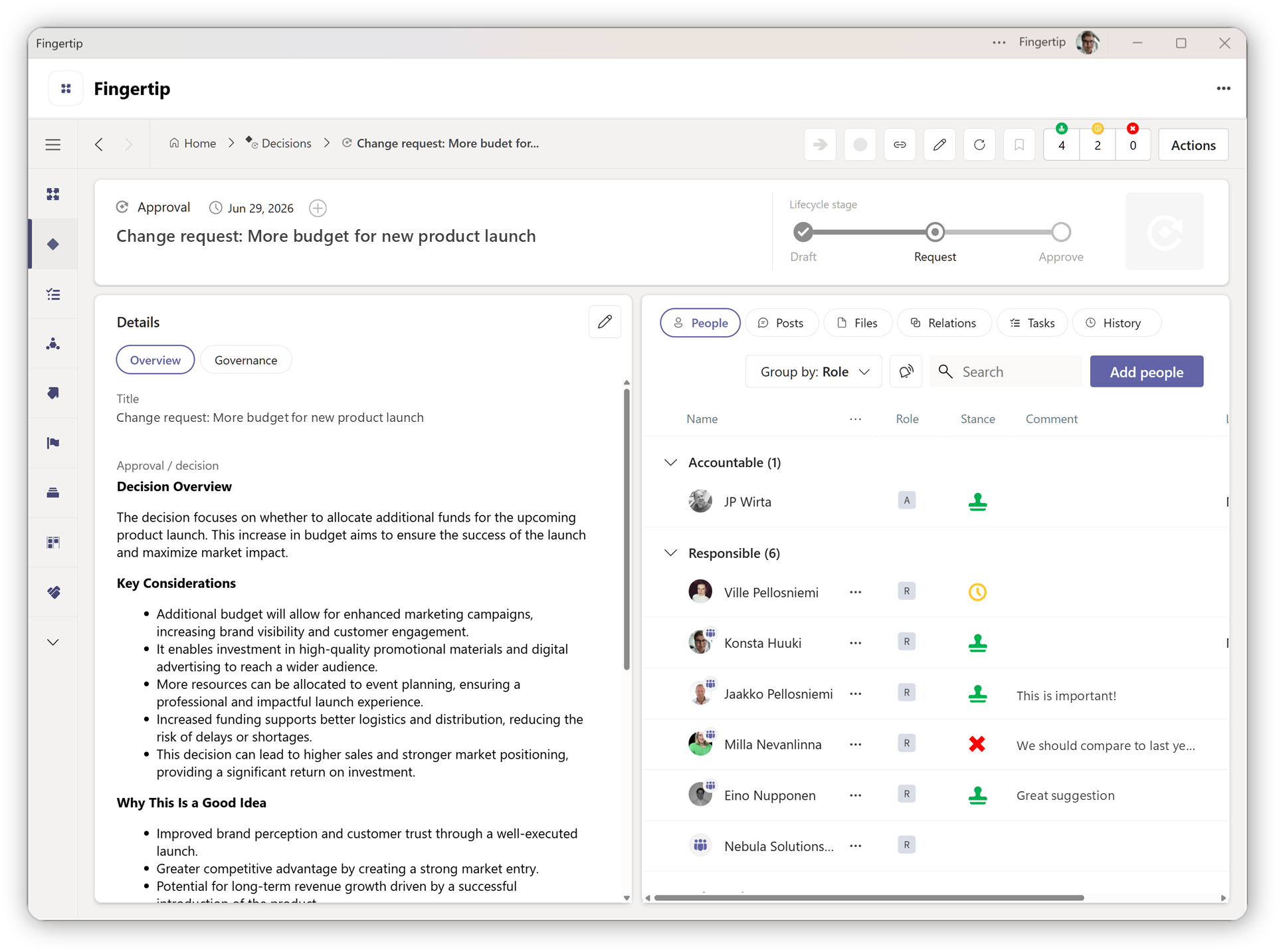
Decisions become commitments
Fingertip treats decisions as visible leadership commitments with ownership, lifecycle, rationale, and linked execution, not as notes that disappear after the meeting.
Read more about decisions
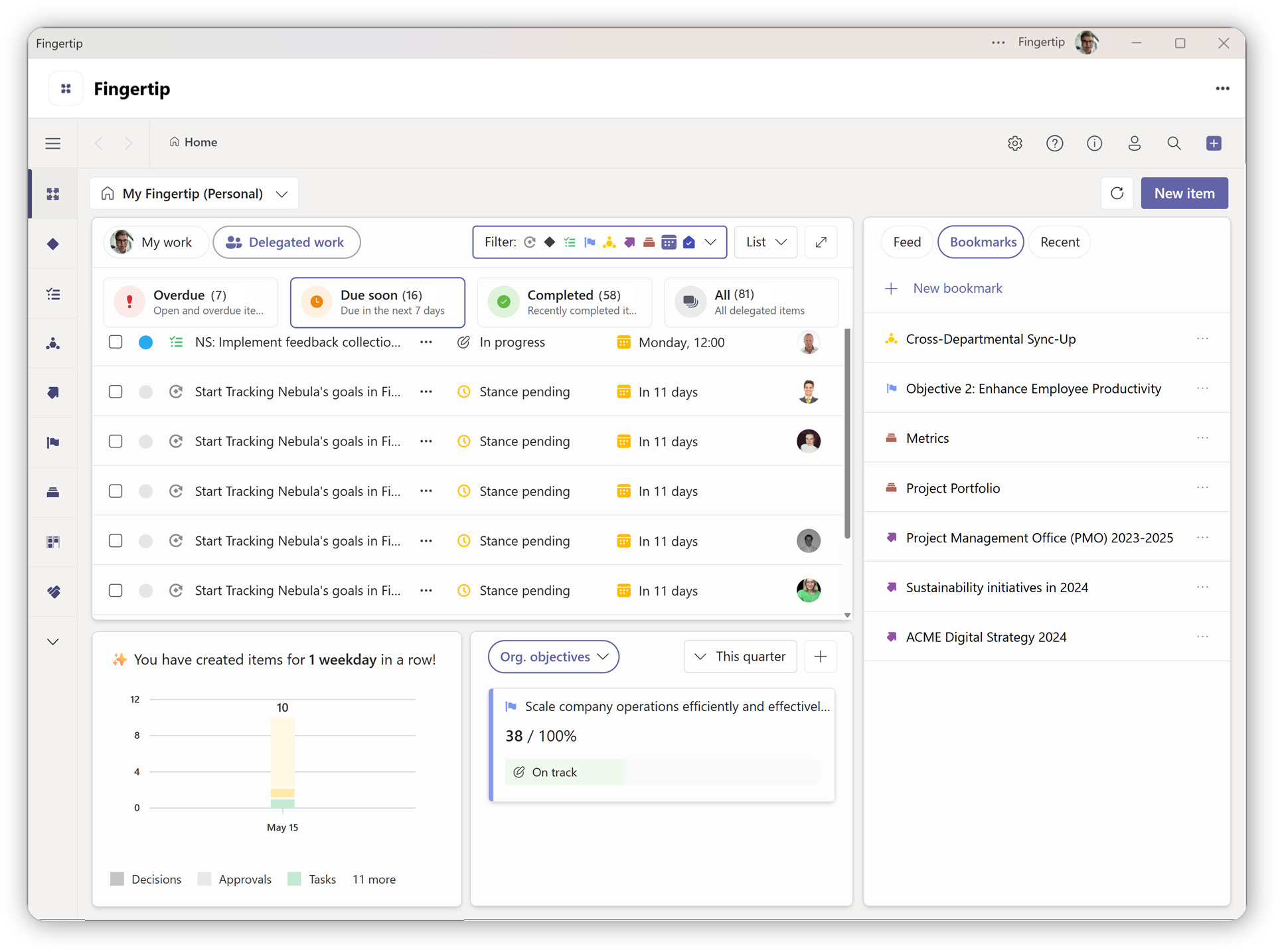
Tasks carry leadership context
Actions delegated from meetings and decisions stay connected to the original context. Owners see what they are accountable for, and leaders see what needs attention.
Task delegation in Fingertip
How executive work carries forward.
Fingertip supports the real rhythm of a leadership team. The value is not a new process, but the continuity between each step.
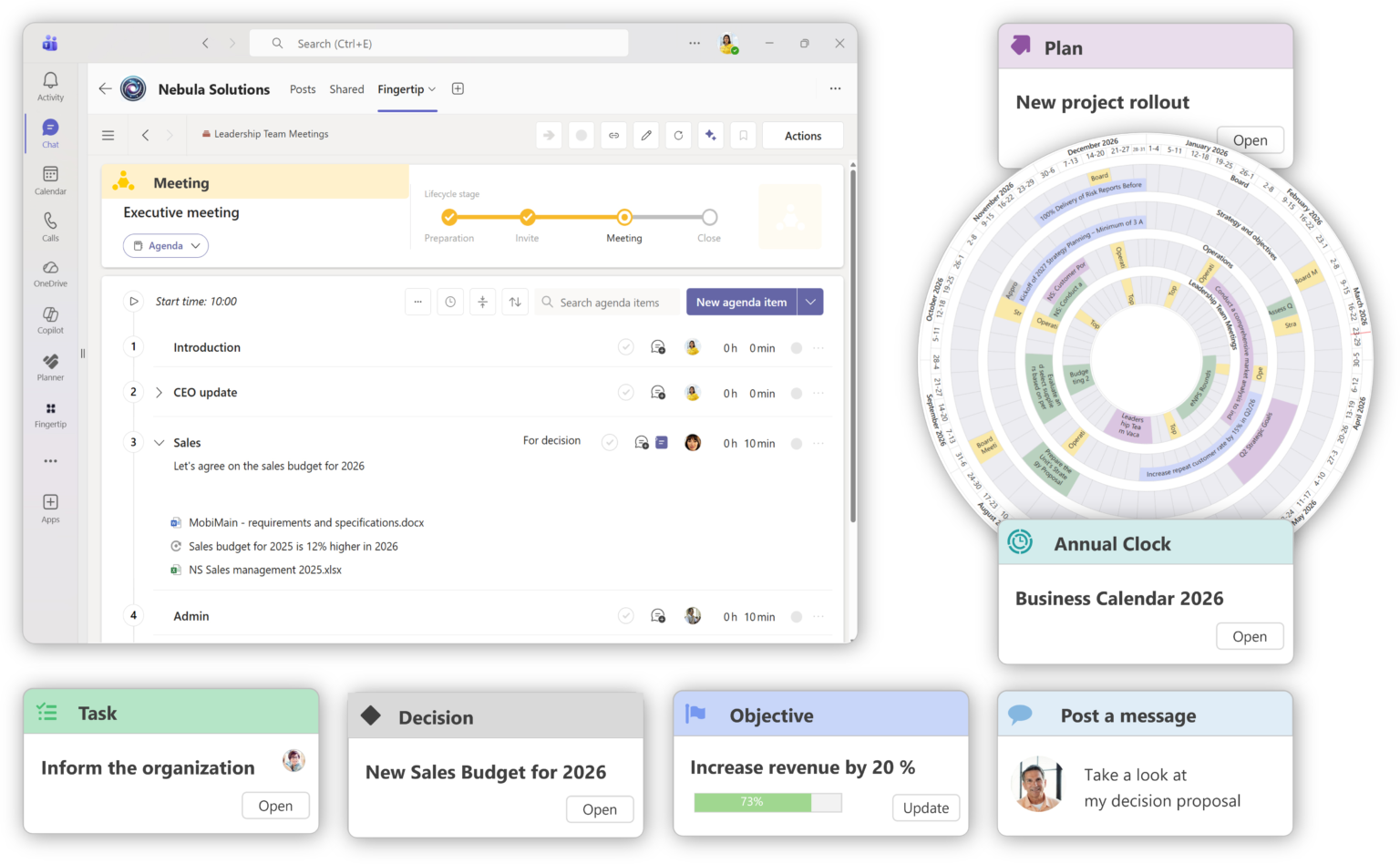
Prepare with context
Agenda topics, prior decisions, open tasks, files, and links are available before the meeting starts.
Delegate action
Follow-up becomes visible work with accountable ownership instead of informal reminders.
Review progress
The team reviews open loops, risks, and progress signals from actual work inside Teams.
See Fingertip in action
Explore how leadership work stays coherent across time, change, and delegation inside Microsoft Teams.
Less reconstruction. More steering.
The clearest customer value is not another productivity layer. It is a leadership rhythm where strategy, decisions, daily management, and follow-through stay connected.
“Fingertip has been a key tool to combine our strategy process and our daily management into one system.”
Head of Strategy
Logistics company
“Fingertip made the change stick to our model of work.”
Head of Strategy
Manufacturing
“Responsibilities and tasks became visible, making follow-up and execution easier.”
Leadership team member
Public sector
Leadership work needs more than notes and status updates.
Teams, Outlook, SharePoint, and meeting tools are useful. Fingertip adds the missing leadership layer that keeps outcomes, ownership, and follow-through connected.
Built for teams that carry cross-functional responsibility.
Fingertip is most valuable when leadership work spans functions, time horizons, decisions, and execution responsibilities.
One picture of what is moving
See priorities, decisions, owners, and risks without relying on repeated status requests.
Shared context between meetings
Keep decisions and follow-up visible so the team spends less time reconstructing history.
Clear ownership across boundaries
Connect function-level work to leadership priorities while keeping accountability explicit.
Traceability without extra reporting
Support leadership cadence with connected records, progress signals, and reviewable history.
Make your leadership team drive execution.
See how Fingertip connects priorities, decisions, tasks, objectives, and follow-through inside Microsoft Teams.

JP Wirta
Sales
Clear answers for leadership teams.
Use these answers to evaluate whether Fingertip fits the way your leadership team works in Microsoft Teams.
What is Fingertip for leadership teams?
It is a Teams-native leadership system that connects meetings, decisions, tasks, objectives, plans, and supporting material so leadership work carries forward with clear ownership.
Does Fingertip replace Microsoft Teams?
No. Fingertip works inside Microsoft Teams and uses Teams as the home for leadership work. It adds structure where Teams, Outlook, and files currently leave gaps.
How does it help executive meetings?
It helps prepare agendas, capture decisions, assign action points, and carry open items forward so recurring meetings become a continuous leadership flow.
How does it improve decision making?
Decisions become visible leadership objects with ownership, rationale, lifecycle, and links to execution. This reduces ambiguity and helps prevent re-deciding the same topics.
How does it support follow-through?
Action points and tasks stay connected to the meeting, decision, or objective that created them. Owners are visible, and progress can be reviewed without chasing every update manually.
Is this a project management tool?
No. Fingertip is designed for leadership work. It can connect to execution, but its primary value is making leadership priorities, decisions, ownership, and follow-through visible.
What should a leadership team start with?
Most teams should start with one high-value leadership routine: an executive meeting, strategy follow-up, investment decision process, or cross-functional priority review.
How do you make the model stick?
Fingertip combines the software with activation support: mapping your leadership rhythm, setting roles and templates, and coaching the team through real leadership work.
Ready to make leadership meetings drive outcomes?
Fingertip helps leadership teams move from reporting to steering, and from meetings to measurable follow-through, safely and predictably inside Microsoft Teams.
Get in touch with us to get started!